AI-powered produce selection & quality assessment

Stop guessing.
Pick produce
perfectly.

Point your camera at any fruit or vegetable and AI tells you exactly which one to grab — ranked 1 to 5, with look, feel, storage and recipe tips. It also detects bad, overripe, or unsafe produce and warns you before you buy.

Free to use · Works on any phone · Results in seconds
FreshPick AI
✦ Free
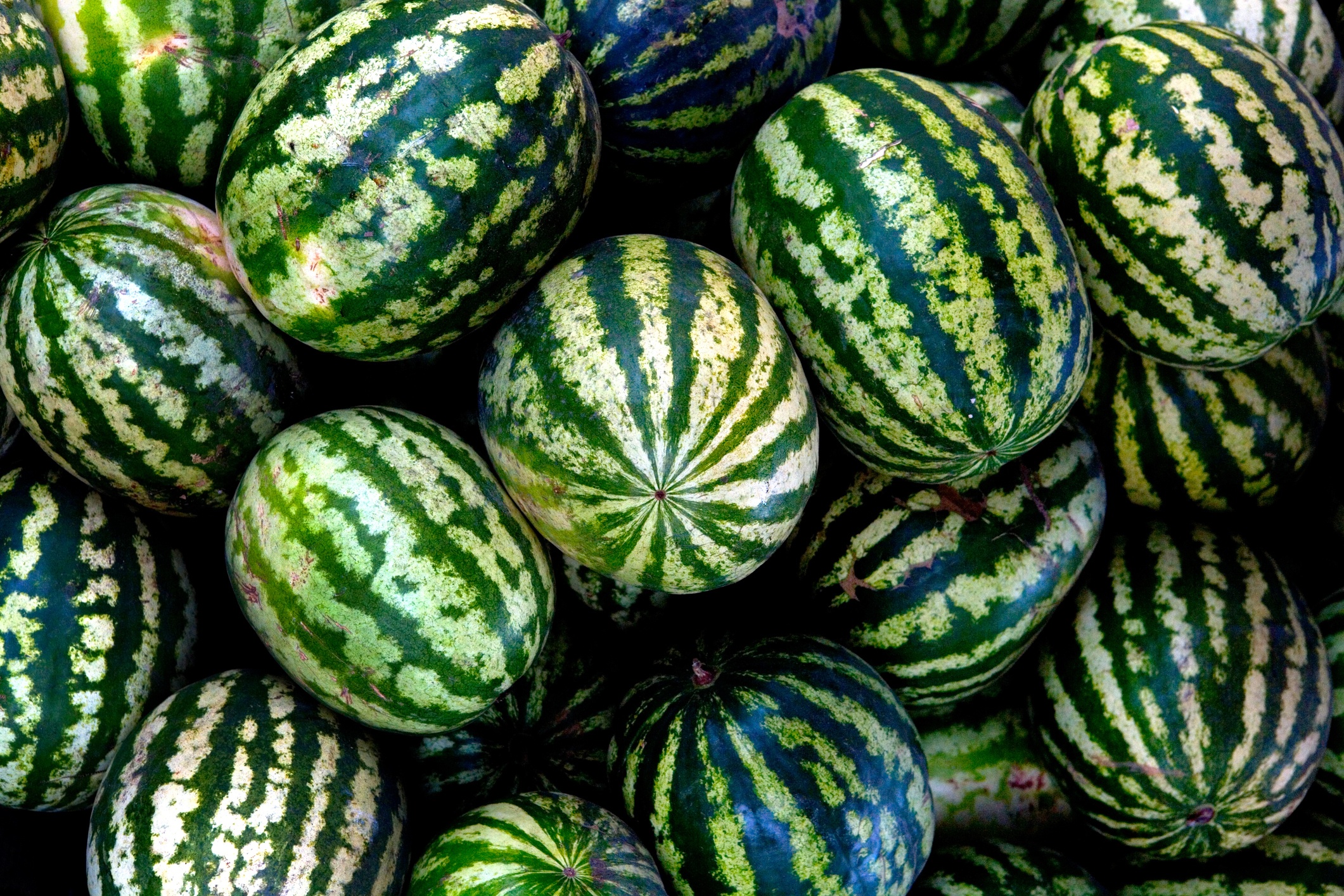
Fresh whole watermelons at grocery store
1
2
3
★ #1 Best pick for today
Front left · deep green, heavy, yellow ground spot
👁
Deep green skin, dried stem, creamy yellow ground spot
Heavy for its size — knock it, listen for a deep hollow thud
1 item flagged — soft spot detected, avoid it
🍳 Fruit salad 🍳 Agua fresca 🍳 Smoothie
🥇 AI picks #1
for you
📷 Any produce
identified instantly
🍳 Recipe links
tap to open
38+
Fruits & vegetables
Instant results
Flags bad produce instantly
Free
Always — no card needed

Three steps to perfect produce

No setup. No training. Just point, shoot, and pick.

📷

Take a photo

Point your phone camera at any fruit or vegetable — a single item or a whole display. The more of the pile you capture, the better.

🤖

AI analyzes instantly

The AI identifies your produce, ranks the top 5 picks with numbered circles on your photo, and flags any bad or overripe items with a red ✕ — all in seconds.

🛒

Pick with confidence

Get exact location guidance, what to look and feel for, storage tips, and tap-to-open recipe links. Walk away with the best one.

Everything you need
at the grocery store

Bad produce detection
AI flags moldy, rotten, overripe or damaged produce before you buy it — with a red ✕ on your photo and detail on what to see, feel and smell for.
👁
Expert pick & touch guidance
Specific visual and tactile checks for the exact item in your photo — not generic advice, but guidance for what you're actually holding.
🗄
Storage guidance
How to store your pick and how long it will keep — so nothing goes to waste after you get it home.
🍳
Recipe links
Tap any suggested dish to open a recipe instantly. Every scan comes with 4 recipe ideas — directly linked to AllRecipes.
Instant identification
AI identifies the produce automatically — no need to select from a menu. Just point and shoot. Works on 38+ fruits and vegetables.

38+ fruits & vegetables

And growing — if it's in the produce section, FreshPick AI can rank it.

🍎 Apple
🥑 Avocado
🍌 Banana
🍒 Cherry
🥥 Coconut
🌽 Corn
🥒 Cucumber
🍇 Grape
🍋 Lemon
🥬 Lettuce
🥭 Mango
🍊 Orange
🍑 Peach
🍐 Pear
🫑 Pepper
🍍 Pineapple
🥔 Potato
🍓 Strawberry
🍅 Tomato
🍉 Watermelon
+ 18 more

Shoppers love it

★★★★★

"I used to tap every watermelon in the bin hoping one sounded right. Now I just scan and it points to the exact one. Game changer."

👩
Sarah M.
Home cook · San Jose, CA
★★★★★

"The watermelon feature is amazing. It circled the exact one to grab and told me what the yellow ground spot means. Perfect every time."

👨
Marcus T.
Meal prepper · Oakland, CA
★★★★★

"Showed my mom how to use it and now she sends me photos of the numbered pictures every time she goes shopping. It's become a whole thing."

👩
Priya K.
Busy parent · Walnut Creek, CA
Install the App

Add to your phone
in 30 seconds

No App Store needed. Install directly from your browser — works on iPhone and Android.

📱

iPhone

  1. 1 Open app.freshpick.ai in Safari
  2. 2 Tap the Share button ⬆️ at the bottom
  3. 3 Tap "Add to Home Screen"
  4. 4 Tap Add — FreshPick AI icon appears on your home screen!
⚠️ Must use Safari — not Chrome or other browsers
🤖

Android

  1. 1 Open app.freshpick.ai in Chrome
  2. 2 Tap the ⋮ menu (three dots top right)
  3. 3 Tap "Add to Home Screen" or "Install App"
  4. 4 Tap Add — FreshPick AI icon appears on your home screen!
✓ Works with Chrome, Samsung Internet, Edge

Looks and feels like a real app · Full screen · No browser bar

Get Started Free →

Pick perfectly,
starting today.

Join thousands of smarter shoppers. First 3 scans are completely free.